
A Faster, Easier And More Secure Way To Log In To Q-Book
13 October 2026
A Faster, Easier and More Secure Way to Log In to Q-Book
Q-Book Team
QBook , HospitalityTechnology , HotelManagement , HotelSoftware , CyberSecurity , Passkeys
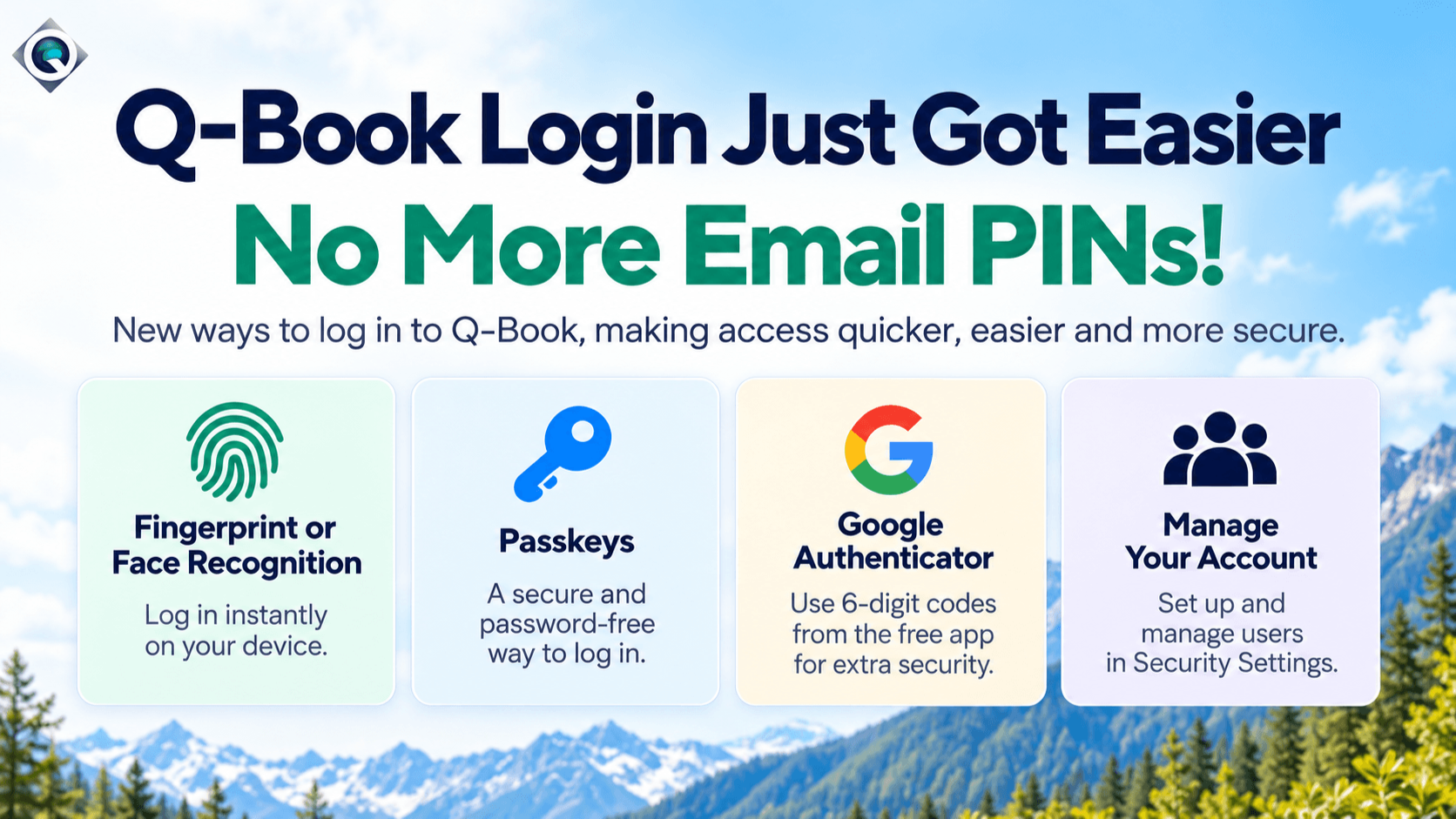
Q-Book Login Just Got Easier!
We've introduced new ways to log in to Q-Book, making it quicker, easier and more secure to access your account.
You can now choose from several convenient login options:
Fingerprint or Face Recognition
On compatible phones, tablets and computers, you can now log in using your fingerprint or facial recognition, just like unlocking your device. Once set up, there's no need to type your password each time you access Q-Book.
Passkeys
Passkeys offer a faster and more secure way to log in without entering your password. For example, on a Windows computer, you may be able to use your Windows PIN, fingerprint or facial recognition to access your account.
Google Authenticator
For additional security, you can use the free Google Authenticator app on your phone. The app generates a secure 6-digit code that you enter when logging in to Q-Book, removing the need to wait for a PIN to arrive by email.
Improved Security Settings
We've also introduced an improved Security section within Q-Book, allowing you to manage staff access, create or disable user accounts, update passwords and view active login sessions, giving you greater control over your account security.
Prefer things as they are? No problem!
Your existing username and password will continue to work as before, so there's no need to change anything unless you want to.
Login troubleshooting
Need help signing in?
Your existing Q-Book username and password still work. Passkeys, fingerprint recognition and Face ID are optional. If a login step is not working, Login Help shows simple instructions for Apple Mac, Windows, Android and iPhone or iPad.
Login troubleshootingRecent Posts
-
A Faster, Easier and More Secure Way to Log In to Q-Book
October 13, 2026
-
 New Visitor Levy in Your Area? Q-Book Makes It Easy
September 03, 2026
-
 Q-Book Booking Notices
July 21, 2026
-
 Smart Door Locks and Heating Automation
December 11, 2025
-
 Q-Book Free Reviews Hub – Your All-in-One Review Management Solution
March 04, 2025